 |
Online Maps v3
|
|
Online Maps v3
|
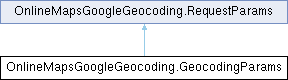
Request parameters for Geocoding. More...
Public Member Functions | |
| GeocodingParams () | |
| Constructor. | |
| GeocodingParams (string address) | |
| Constructor. | |
Public Attributes | |
| string | address |
| The street address that you want to geocode, in the format used by the national postal service of the country concerned. Additional address elements such as business names and unit, suite or floor numbers should be avoided. | |
| string | components |
| A component filter for which you wish to obtain a geocode. See Component Filtering for more information. https://developers.google.com/maps/documentation/geocoding/intro?hl=en#ComponentFiltering The components filter will also be accepted as an optional parameter if an address is provided. | |
| OnlineMapsGeoRect | bounds |
| The bounding box of the viewport within which to bias geocode results more prominently. This parameter will only influence, not fully restrict, results from the geocoder. | |
| string | region |
| The region code, specified as a ccTLD ("top-level domain") two-character value. This parameter will only influence, not fully restrict, results from the geocoder. | |
 Public Attributes inherited from OnlineMapsGoogleGeocoding.RequestParams Public Attributes inherited from OnlineMapsGoogleGeocoding.RequestParams | |
| string | key |
| Your application's API key. This key identifies your application for purposes of quota management. | |
| string | language |
| The language in which to return results. List of supported languages: https://developers.google.com/maps/faq#languagesupport. | |
| string | client |
| Available to Google Maps APIs Premium Plan customers but not to holders of a previous Maps API for Business license. | |
| string | signature |
| Uses instead of an API key to authenticate requests. | |
Request parameters for Geocoding.
| OnlineMapsGoogleGeocoding.GeocodingParams.GeocodingParams | ( | string | address | ) |
Constructor.
| address | The street address that you want to geocode, in the format used by the national postal service of the country concerned. Additional address elements such as business names and unit, suite or floor numbers should be avoided. |