
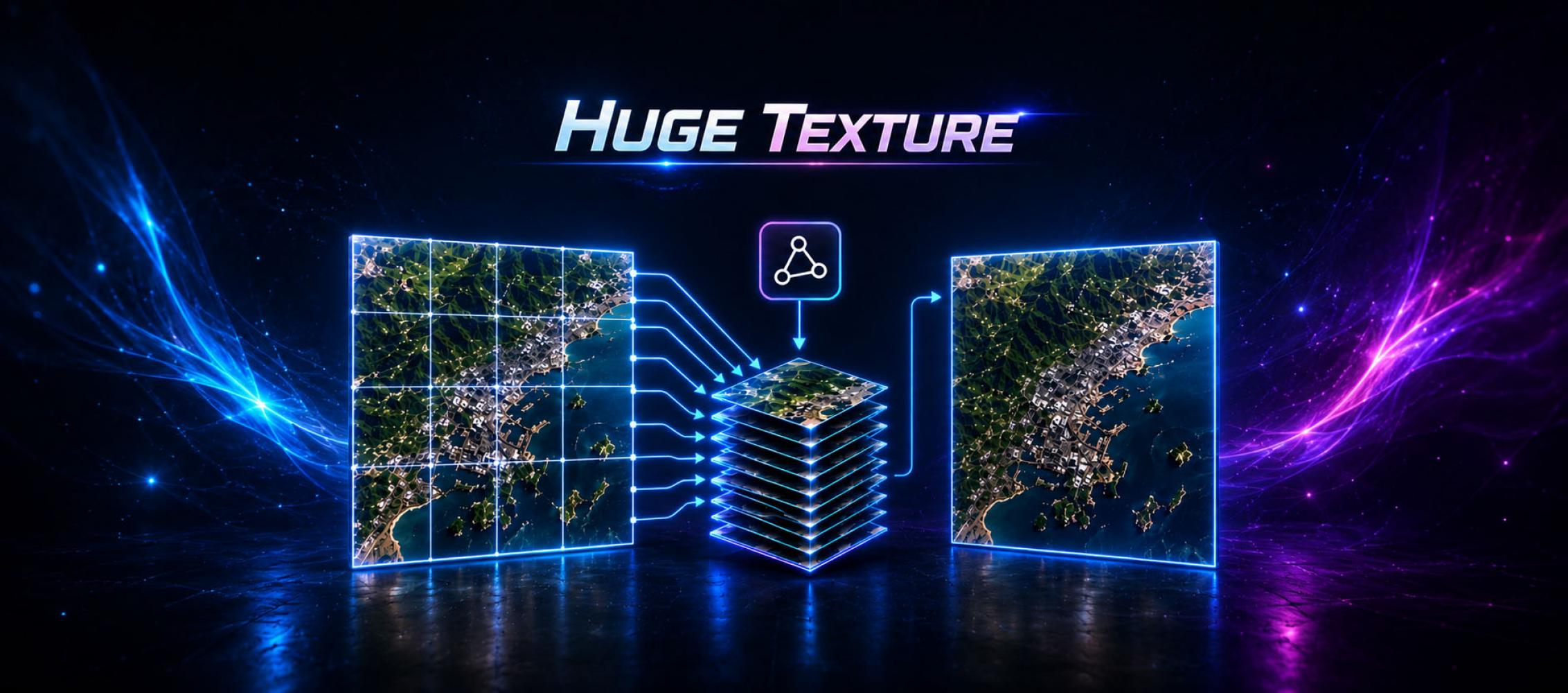

Huge Texture allows you to import and use textures larger than 8192x8192px in Unity.
When importing a texture, Huge Texture splits the texture into pages and saves it as a Texture Array.
Texture Array is combined on the shader side, which does not create extra draw calls and has almost no effect on performance.
When importing a texture, Huge Texture splits the texture into pages and saves it as a Texture Array.
Texture Array is combined on the shader side, which does not create extra draw calls and has almost no effect on performance.
A large diagram, satellite image, or scanned artwork sometimes needs to remain one continuous image. Manually splitting it across materials creates more UV work, more objects, and potential seams. Huge Texture imports images beyond 8192×8192, divides them into pages, and stores those pages in a Texture Array that is reconstructed by the shader.
Confirm that the workflow is compatible
Check Texture Array support on every target platform before preparing content. This is a platform requirement, not an asset option. The destination field must also accept Texture rather than specifically Texture2D, and the renderer or UI component must allow a custom material or shader. A third-party component with a hard Texture2D dependency will not accept the generated resource unchanged.
Inspect the source limits as well. Huge Texture supports PNG and JPEG files up to 16384×16384 and RAW input up to 2 GB, including square images without alpha up to 26624×26624. These are maximum import dimensions, not a sensible default for every device. Build size, import time, and GPU memory still depend on format, mipmaps, and content.
Build a controlled test
Duplicate the source and remove unnecessary alpha. For photographic material, compare JPEG with the project's compressed texture format. Fine labels and line art may expose JPEG artifacts. Enable mipmaps when the surface will be viewed at varying distances or angles. For non-color data, verify the color-space setting; import a normal map as such rather than treating it as ordinary color.
Import the image with Huge Texture and assign the generated asset to a material compatible with the active render pipeline. Built-in RP, URP, HDRP, and custom pipelines are supported, but a project's proprietary shader may still need Texture Array support. Page generation cannot automatically rewrite arbitrary shader code.
Inspect sampling and seams
Review the result at native scale, from a distance, and at grazing angles. Straight lines, small text, and high-contrast boundaries are the best places to spot page-sampling artifacts. Then profile the actual scene on the lowest supported device and compare it with a smaller conventional texture.
Shader-side Texture Array reconstruction does not add draw calls compared with using a regular texture on the same object. It does not make the data free: a very large image still consumes storage and memory, while detail beyond the camera's visible resolution provides no benefit.
Huge Texture automates paging and removes the normal importer ceiling. Resolution, compression, mipmaps, and platform validation remain regular production decisions. If users cannot see the additional detail, a reduced Texture2D is usually the simpler and less expensive solution.