
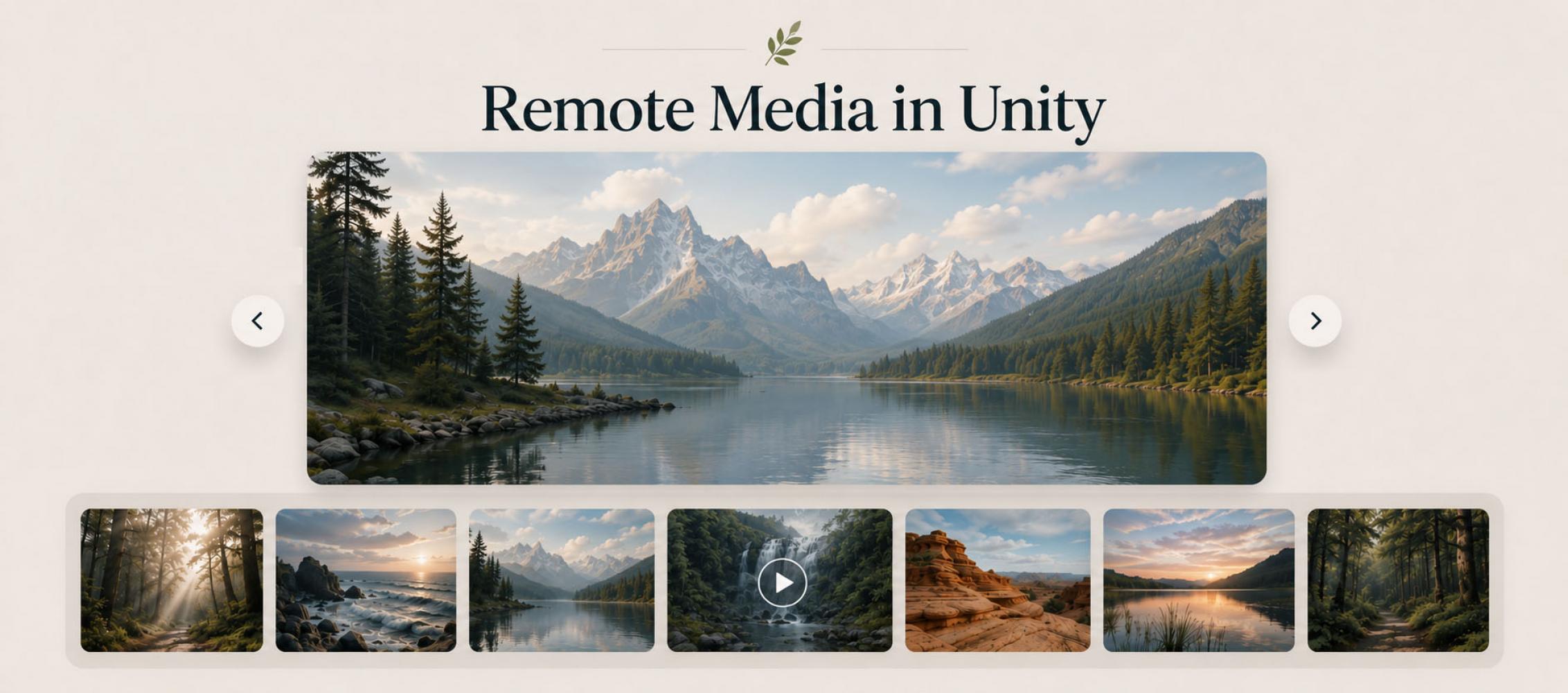

Smart Gallery is an elegant, flexible and efficient solution for displaying image, video and audio galleries for your project.
Each element of the gallery is a separate module, resulting in extraordinary flexibility of the asset. You can easily customise modules to achieve the design and functionality your project needs.
Supports all input pipelines and input systems.
Each element of the gallery is a separate module, resulting in extraordinary flexibility of the asset. You can easily customise modules to achieve the design and functionality your project needs.
Supports all input pipelines and input systems.
Photos and videos often change more frequently than the application that displays them. A product catalogue gains new items, an exhibition receives updated material, or a training app publishes another video. When every file is imported as a Texture or VideoClip, even a small content change requires a new build and another release.
Hosting the media elsewhere and loading it from URLs removes that dependency. It also creates a new set of UI problems: the application needs a viewer, frame navigation, loading feedback, thumbnails, video controls, and sensible behaviour on a slow connection. This is where Smart Gallery provides value. It does not manage the server or discover new content automatically, but it avoids rebuilding the standard gallery experience from unrelated Unity UI components.
Why a remote gallery becomes more than an image request
A basic gallery may begin as an image array, two buttons, and a Raw Image. That works for a handful of local pictures. Add remote images, video, and audio, and the simple design quickly expands: each medium needs a suitable display component, downloads take time, video needs playback controls, and the active frame must be handled correctly when the user moves on.
Smart Gallery represents each item as a frame with a content type. Texture, Video, and Audio cover assets stored in the project, while Remote Texture and Remote Video handle externally loaded files. They can all appear in the same sequence and use the same Viewer, so the user does not have to move between separate interfaces for different media formats.
The practical benefit is not the URL field itself. Fetching one image with UnityWebRequest is straightforward. Most of the implementation effort sits around that request: connecting the result to the UI, keeping navigation consistent, communicating the waiting state, and avoiding duplicated logic across several screens. Smart Gallery supplies a shared structure of Gallery assets, frames, Viewers, and loaders for that surrounding work.
One collection can be opened from several contexts
A Gallery is a separate asset containing its frames and selected Viewer. Multiple entry points can therefore reference the same collection instead of maintaining their own copies. A product card, a full-screen catalogue, and an interactive scene object can all open the same media set.
How the collection opens is kept separate from what it contains. UI Loader is intended for interface elements, Collider Loader works with scene objects that have a Collider, and the general Loader can be opened from custom code through its Show method. If the frame list or Viewer design changes later, every entry point continues to use the updated Gallery without duplicating the change.
Assemble the Viewer you need instead of recreating it
Smart Gallery builds a Viewer from modules rather than enforcing one monolithic window. A short image sequence may need only a content area, previous and next controls, and a close button. A larger collection can add thumbnails, a frame counter, and titles. Zoom And Scroll supports closer inspection of photographs, diagrams, or other detailed images.
Modularity reduces custom UI work, but it does not remove interaction design decisions. While an image is zoomed in, the frame-change gesture is disabled until the user zooms out with a double-click or mouse wheel. That is documented component behaviour, yet it still needs usability testing on touch devices; without a clear interaction, users may assume that navigation has stopped working.
For video and audio, the Video Player module provides current and total time, a progress bar, pause, resume, and seeking. This removes the need to build a conventional playback panel. Media compatibility still depends on Unity and the target platform, however. Smart Gallery does not transcode a video or make an unsupported codec playable.
Remote content should not look like a broken interface
The defining difference between local and remote media is that a user may have to wait for a remote file. A Viewer can include the supplied Loading Spinner for Remote Texture and Remote Video. The same delay then reads as an active download rather than an empty panel or an unresponsive button.
Thumbnails make that wait less disruptive. A Texture frame can reuse its main image, while other content types show a default preview if no Thumbnail is assigned. A lightweight preview is usually a better choice for a remote video or a large photograph. Users can understand the collection before the full media arrives, and the application does not download a large file merely to fill the thumbnail strip.
This is also the boundary of the built-in automation. A spinner communicates progress; it cannot guarantee that the server returns valid content. Error copy, retry actions, missing-file placeholders, and cancellation rules depend on the application. They need custom logic or a Viewer extension. Smart Gallery provides the foundation and API, but it cannot decide what a particular product should show after a 404 response or a lost connection.
When remote media is worth the extra dependency
A remote gallery is a good fit when media changes independently of the application version or when bundling every source file would make the download unnecessarily large. Files can be replaced on the server while the viewing interface remains stable. A new application build is only needed when the code, data contract, or Viewer itself changes.
If five images will never change, remote loading merely adds network and hosting dependencies. Local Textures are simpler and more reliable in that case. Because Smart Gallery supports both local and remote frames, a project can keep essential media in the build and load only frequently updated or unusually large files from the network.
Production testing still needs to cover throttled connections, invalid URLs, navigation during a download, and memory use on real hardware. WebGL builds also require the media server to permit requests from the build's origin through CORS. Unity does not support local VideoClip assets on WebGL, so the Smart Gallery documentation recommends Remote Video for that platform.
Smart Gallery ultimately solves a broader problem than downloading an image from a URL: it turns local and remote files into one coherent viewing experience. Its value is clearest when the alternative is separately implementing frame data, several entry points, navigation, previews, zooming, and playback controls. Hosting, media optimization, and application-specific failure handling remain project responsibilities, and that boundary should be part of the decision to use it.