
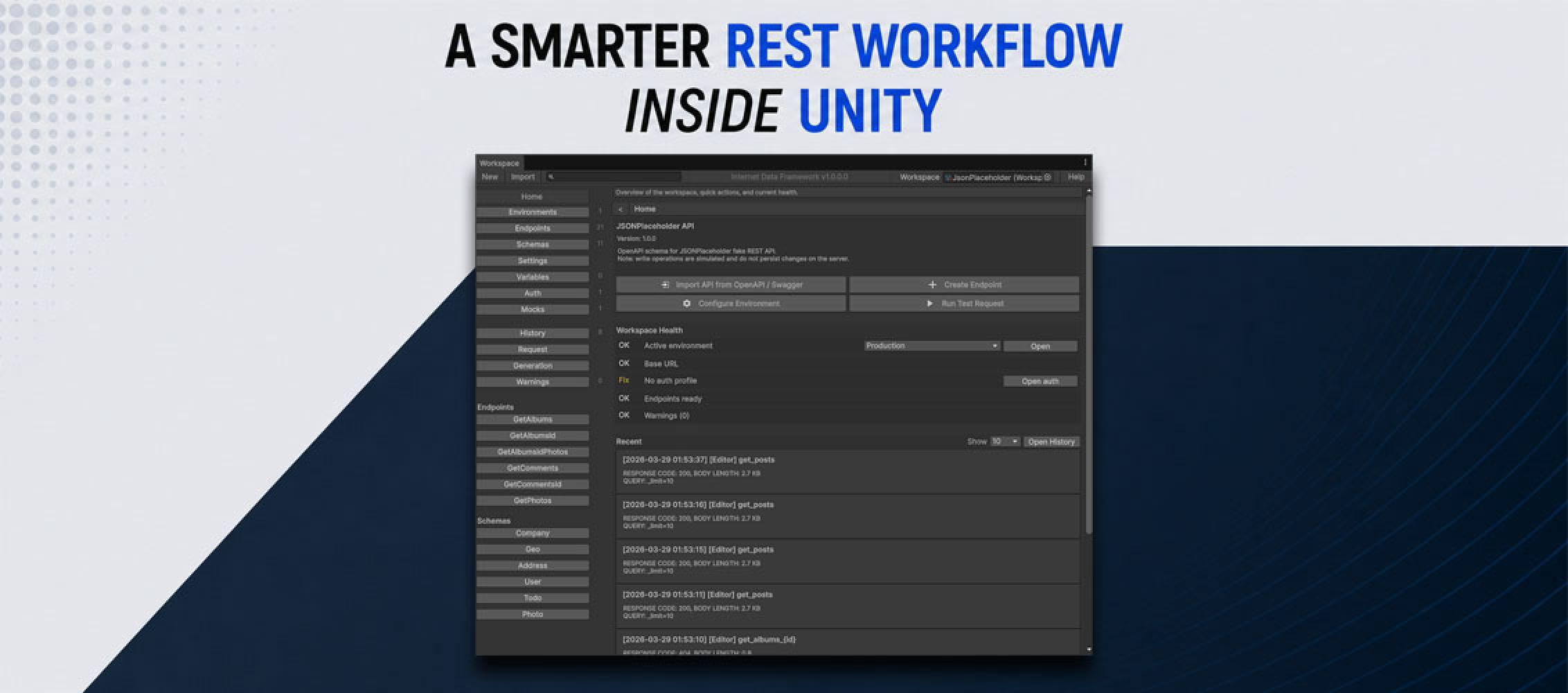

Build, test, and use REST APIs through a visual workspace with environments, auth profiles, request preview, mock responses, OpenAPI / Swagger import, history, caching, and code generation support.
Instead of scattering API paths, headers, auth logic, and test code across many scripts, you configure everything in one visual workspace and then use the same setup in runtime code.
For programmers, you can also optionally generate a facade layer for API usage, so the integration is easier to use correctly and much harder to misuse.
Instead of scattering API paths, headers, auth logic, and test code across many scripts, you configure everything in one visual workspace and then use the same setup in runtime code.
For programmers, you can also optionally generate a facade layer for API usage, so the integration is easier to use correctly and much harder to misuse.
UnityWebRequest does its core job well: it sends an HTTP request and returns a response. During development and testing, however, you often need more. You need to review request history, find failed responses quickly, compare results, and see how the game behaves when the backend is slow or unavailable.
Developers often solve this by adding temporary code: extra Debug.Log calls, test components, special flags, and custom stubs. That code must later be removed or maintained with the rest of the project. This approach is even less convenient for testers. They may discover a network issue without being able to edit the C# code, rebuild the request logic, or add the missing diagnostics.
UnityWebRequest Interceptor makes existing network calls observable and controllable. It intercepts UnityWebRequest calls in the Unity Editor, records them in Internet Data Framework history, and can return configured mock responses when needed. Developers gain the details required for debugging, while testers can reproduce network conditions through the Editor UI without touching game code. The project itself continues to use the standard Unity API.
UnityWebRequest Stays UnityWebRequest
A simple MonoBehaviour is enough for the demonstration:
There is no custom transport, base class, or Internet Data Framework dependency here. The component creates a request, waits for it to finish, and writes the result to the Console.
The networking code does not even have to live in the project source. A request may come from a third-party Unity asset, a linked library, or a managed DLL whose code cannot be edited. As long as that component uses UnityWebRequest, Interceptor can expose its calls and let the team test their behavior externally. This helps developers integrate third-party solutions and is especially valuable to testers who cannot add logging or test branches to the underlying code.
Without additional tooling, diagnostics are limited to whatever the developer decided to record in advance. In this example, that means the response text or an error message. If a tester later needs headers, duration, status code, or a history of several runs, the existing logging cannot provide those details without a code change.
Interceptor adds that visibility from the outside. Once enabled, the same SendRequest() call runs as before, while its request and response details are also saved to the workspace. The developer can investigate the implementation, and the tester can collect meaningful evidence from the same scene and the same action.
Enabling Interceptor
Open the tool from: Tools / Internet Data Framework / Plugins / UnityWebRequest Interceptor
Select the workspace where request history should be stored. Start Interceptor before the test, or configure it to start automatically with Play Mode.
The tool is designed for development, testing, and diagnostics in the Windows x64 Unity Editor. No test-only mechanisms are added to the final build.
Once activated, the badge in the header changes from INACTIVE to ACTIVE. TestUnityWebRequest does not need to change. Press the same button in the scene again and the result remains the same, but the call now appears in History.
Request History Instead of Disposable Logs
The Console is useful for a quick message, but long JSON responses are easily buried among unrelated logs. A single line of text also lacks the full context of the call.
In History, every intercepted request becomes a separate entry with the Interceptor origin. The entry keeps the request and its result together, including:
New runs do not overwrite previous ones. You can open them one by one and compare a successful response with an error, or a fast call with a slow one. This is particularly useful for intermittent problems. A tester can capture the exact URL, status code, duration, and server response, while the developer receives enough context to investigate without adding more logs after the bug report arrives.
The Same Request, With a Controlled Response
History explains what has already happened. Mock responses let you create conditions that are difficult, unreliable, or undesirable to obtain from a live server.
For the URL used by TestUnityWebRequest, you could configure a mock with a visibly different JSON body:
After enabling the mock, run the same SendRequest() method again. The script still creates a standard UnityWebRequest, but it receives the prepared response. The saved result source becomes Mock, while the response is easy to identify in the UI by its body, status code, and enabled mock configuration.
This makes it possible to test game logic without switching URLs, adding conditional compilation, or creating special branches in runtime code. A developer can quickly verify a new handler, while a tester can repeat prepared checks independently without editing C# files. Disable the mock to return to the live backend.
Testing Errors and a Slow Backend
A successful response is only one possible network condition. A user may lose connectivity, the server may return 404 or 500, or a valid response may simply take too long. These conditions affect more than the networking layer: they also influence loading indicators, retry actions, error messages, and whether controls remain available.
A mock can change the status code, response body, and delay. The existing scene can then be tested under those conditions through the same action used for a normal request.
It is useful to verify each state independently:
For developers, this set of cases provides a quick way to verify defensive logic and UI states. Testers can work through the same response matrix in the mock settings without requesting a separate build for every status code or changing the request implementation.
For a clear demonstration, the test scene can show a spinner while the request is in progress, a green success state, and a red error state. This UI is not required by Interceptor, but it makes the effect of each network response immediately visible.
Filtering Traffic in a Real Project
Intercepting every request is manageable in a small test scene. In a production project, analytics, SDKs, content loaders, and game logic may all access the network at the same time. If everything is recorded, the requests you care about can quickly disappear into background traffic.
The URL Filtering section provides three modes:
Matching is case-insensitive.
*matches any sequence of characters, while?matches one character. A string without wildcard characters is treated as a URL prefix.For example:
*jsonplaceholder.typicode.com/todos/*In Allow List mode, this rule keeps only the relevant group of test requests in History. It reduces noise and makes Interceptor practical in scenes where several systems use the network at once.
Network Failures Become Reproducible
UnityWebRequest Interceptor does not replace existing networking code. It makes that code observable and controllable. Whether a request lives in the project, a third-party asset, or a DLL, developers gain the context needed to debug it, while testers can reproduce the required conditions without changing its source.
A live response, a mock, a delay, or a server error all pass through the same game code and remain available in History. A random network failure becomes a reproducible test that the whole team can investigate, fix, and verify with confidence.